Thank U, Next: Rejection Email Companion

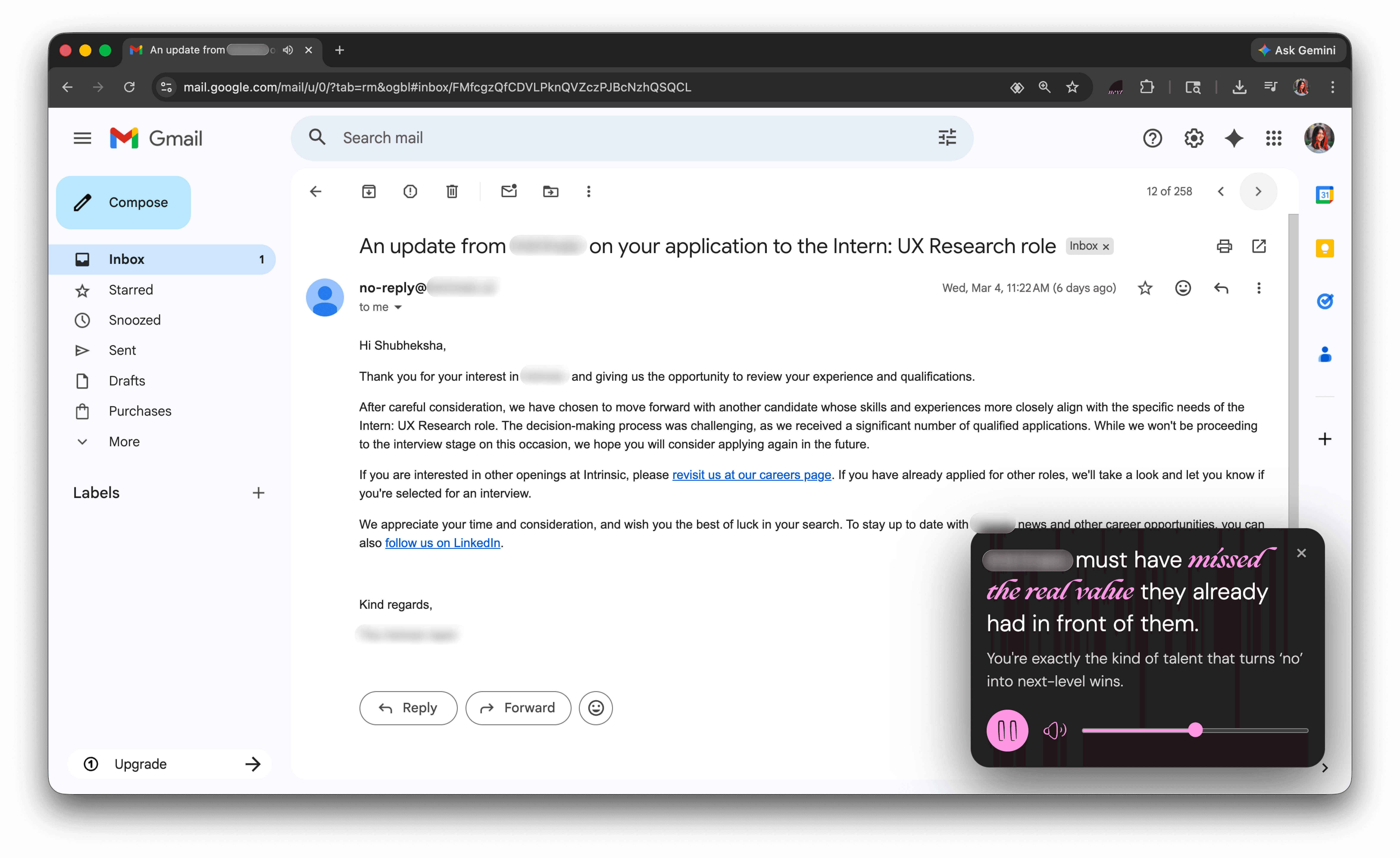
Built during my own internship search, this Chrome extension detects rejection emails and responds with a personalized witty comeback and affirmation. Ideated, designed, and engineered end-to-end.

Timeline

3 days (Spring 2026)

4 Weeks, Fall 2025

My role

Designer & Engineer

Tools

Figma, JavaScript, Chrome Extensions API, OpenAI API

The Spark

Spring 2026. I was deep in internship applications, tailoring resumes, writing cover letters, perfecting portfolio case studies. And then the rejection emails started rolling in.

Each one hit the same way: frustration, sadness, that sinking feeling of "what am I doing wrong?" I was still hopeful, not numb yet, which meant every rejection landed fresh.

And every single time, the same song played in my head: Ariana Grande's "thank u, next."

I thought: what if it actually played?

What if opening a rejection email triggered something that…

The Extension


v1.0 - Building the Core

Chrome extension fundamentals

Having never built a Chrome extension before, I started with the simplest possible proof of life - three files, a manifest, and a popup that said "thank u, next". Once it loaded in the extensions menu, the rest was just logic and API calls.

Reading Gmail + Detection

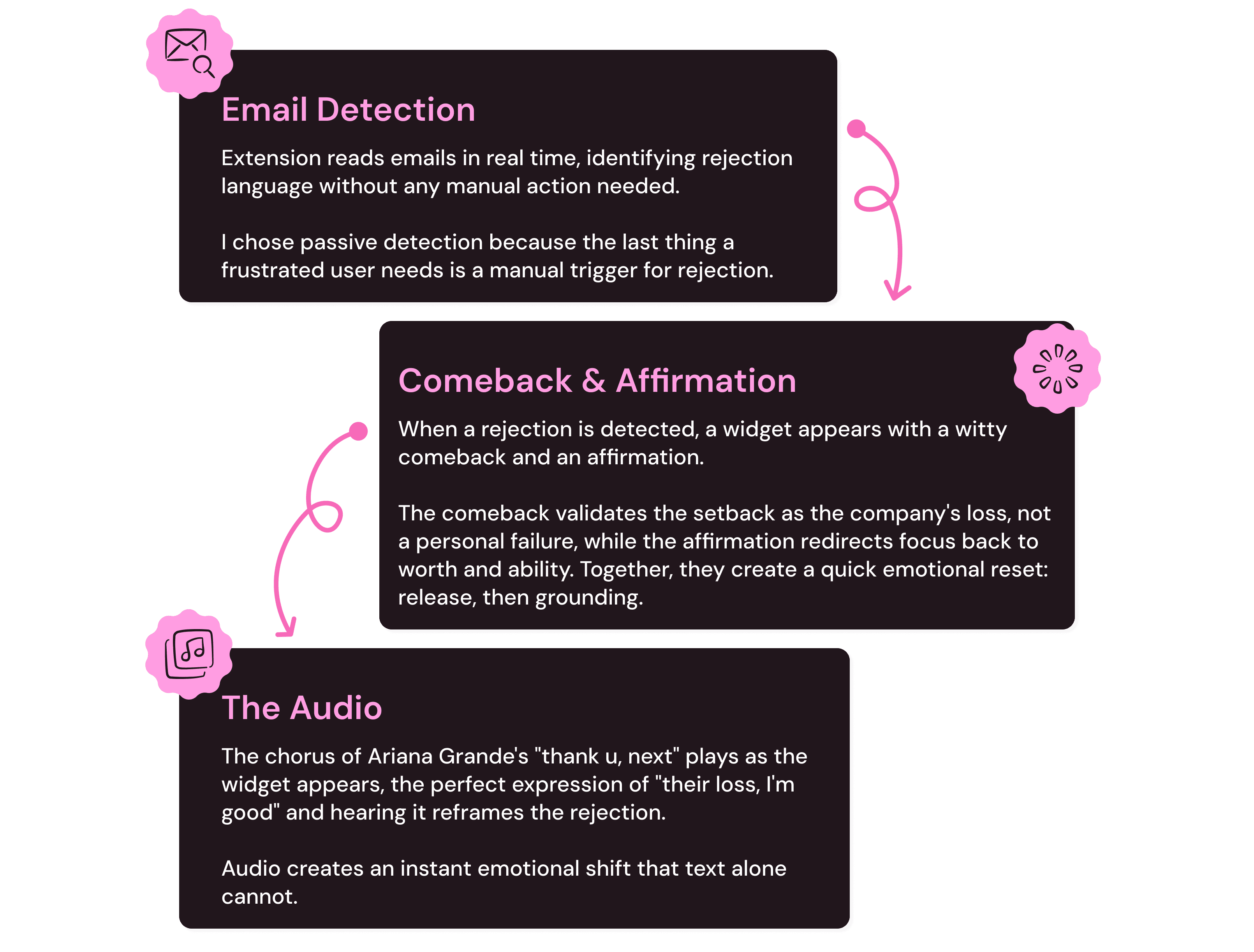
Gmail is a single-page app, the page doesn't reload when opening a new email. The extension needed to detect when an email opened and read its content in real time.

The solution was a content script with a MutationObserver watching for DOM changes, with debouncing to wait until things settled before checking as observers fire constantly (100 times/sec) just from hovering. A Set tracked already-seen emails to prevent duplicate triggers.

What should the user actually see?

Once a rejection was detected, the next question was: what does the user actually see and experience?

I explored a few directions - just audio playing in the background, a motivational quote, a stats counter tracking rejections over time, and a witty comeback paired with a personal affirmation.

Audio by itself felt incomplete, motivational quotes were too generic & a stats counter would just be a rejection scoreboard.

Now I needed a way to show this content while also handling the audio controls. A notification would disappear too quickly & a modal would force interaction. A widget strikes the balance, present without blocking, expressive without interrupting.

Generating the Response

After building and testing with real rejection emails throughout, I had a working extension. It detected rejections, played the audio, generated personalized comebacks, and showed affirmations.

v1.1: Refining the Experience

Using v1.0 day to day revealed what needed refinement.

Company name extraction was brittle
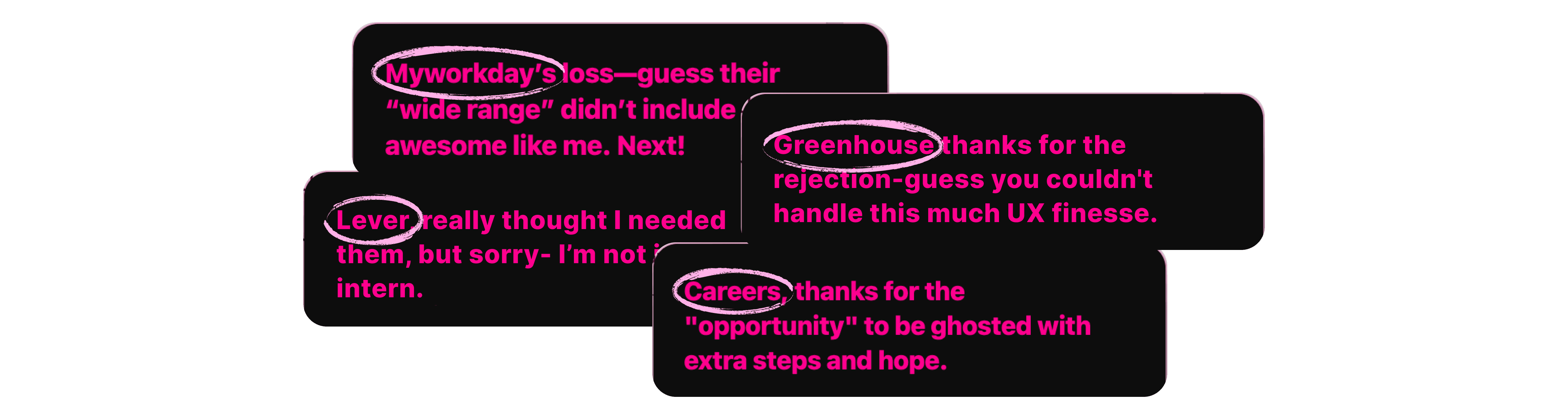
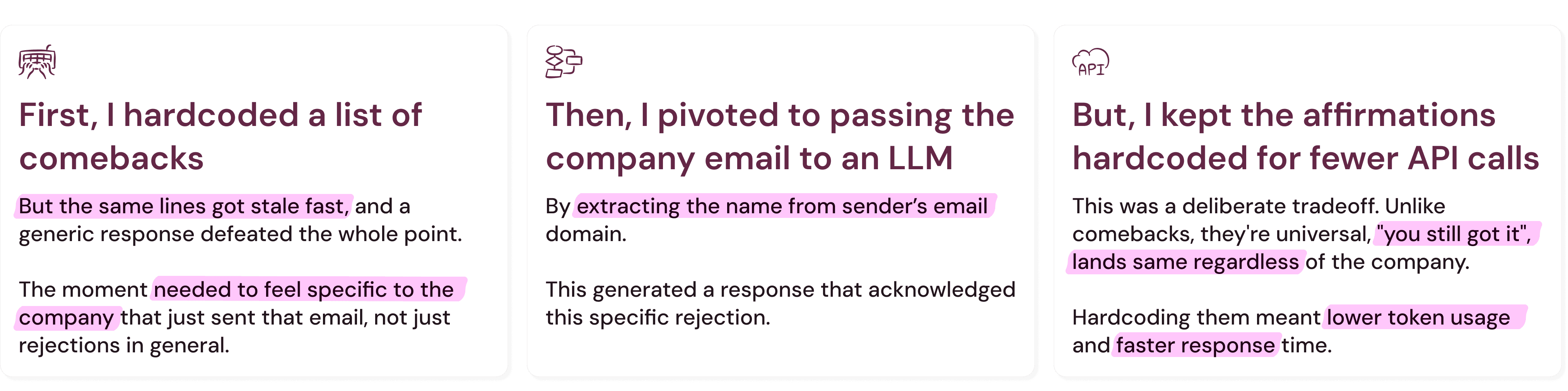
My initial approach extracted the company name from the sender's email domain. Simple, clean. Until emails started coming from addresses like noreply@greenhouse.io and jobs@lever.co - ATS platforms sending on behalf of companies, not the companies themselves. The extension was generating comebacks for the wrong company entirely.

The fix was to stop parsing the domain and let the LLM do the work instead. One prompt now handles both: identify the company name from the email body, then generate the comeback. More robust, no string manipulation edge cases.

Comebacks were missing the mark

The comebacks were hit or miss. Some landed perfectly. Others were too mean or tried too hard. The root issue was the prompt. Early versions gave the LLM too much creative freedom without enough guardrails on tone. I refined it through iterations.
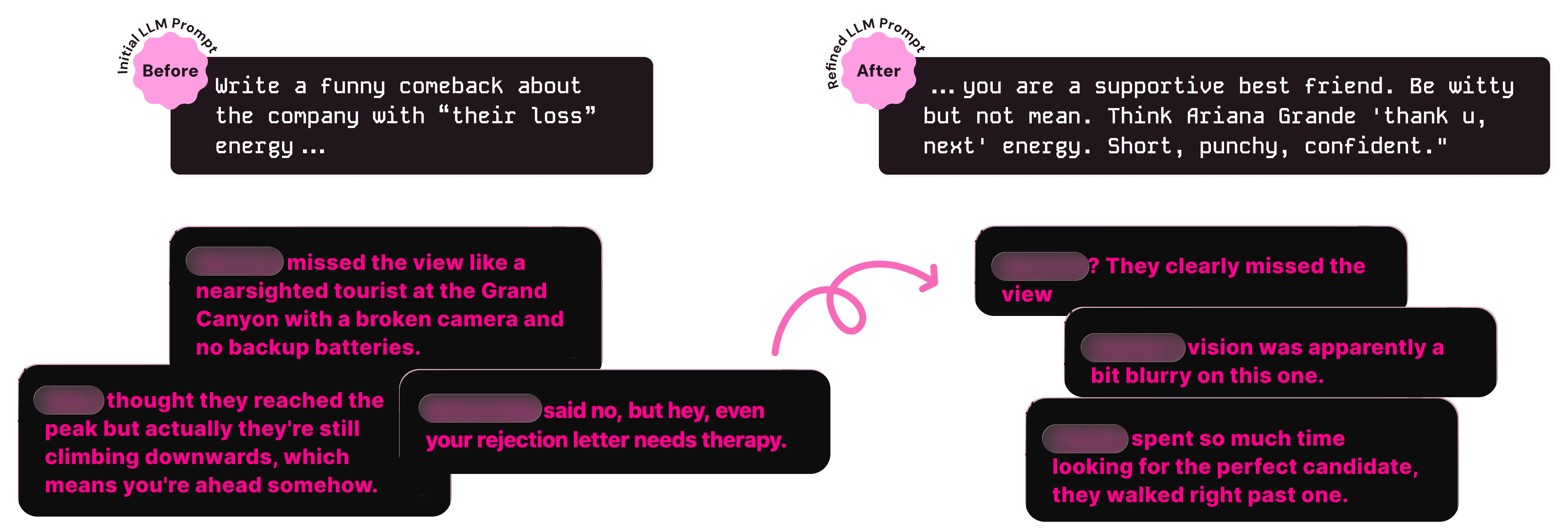
The response felt disconnected

Even after fixing the tone, something still felt off. The comeback would land well but the hardcoded affirmation that followed felt disconnected - like two separate things on screen rather than one cohesive moment.

The fix was to generate both through the LLM as a pair, so the affirmation responded directly to the energy of the comeback rather than being a random pick from a list. The extra token usage was worth the cohesion.

Widget needed visual polish

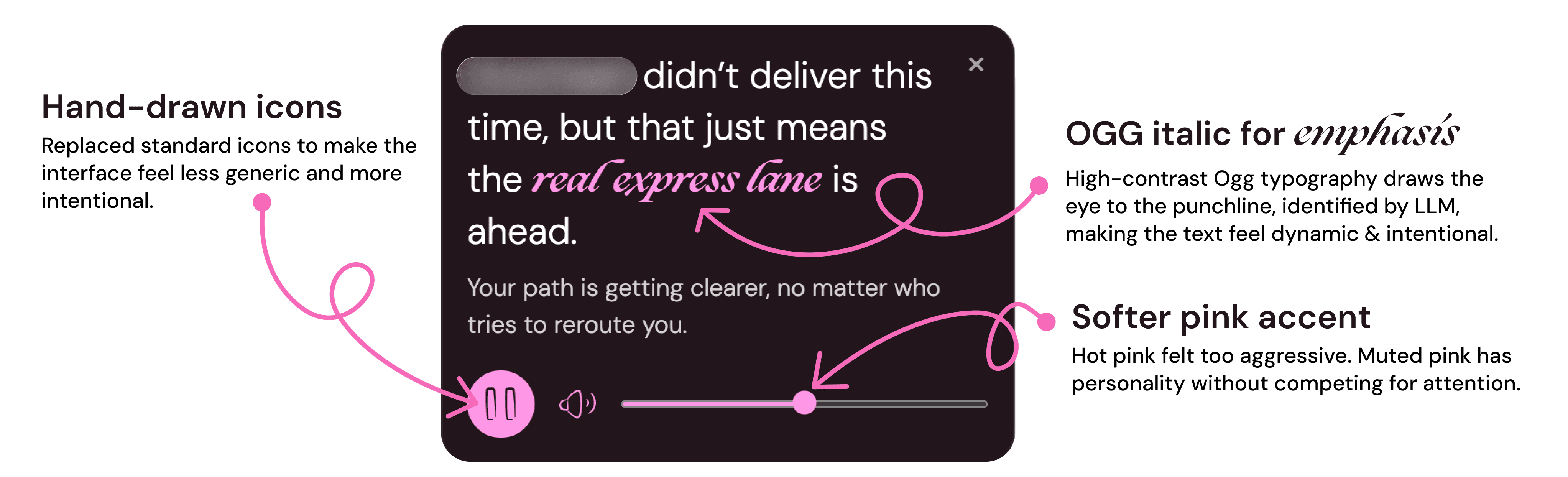
v1.0 worked but felt unpolished. For v1.1, I refined the visual language - softer color palette, cleaner typography hierarchy with OGG and DM Sans pairing for contrast, custom icons, and a dismiss button for quick exits.

I also had the LLM identify the most impactful word or phrase in each comeback and return it alongside the text, so the visual emphasis is dynamic rather than arbitrary - different for every rejection.
Rounding out the experience

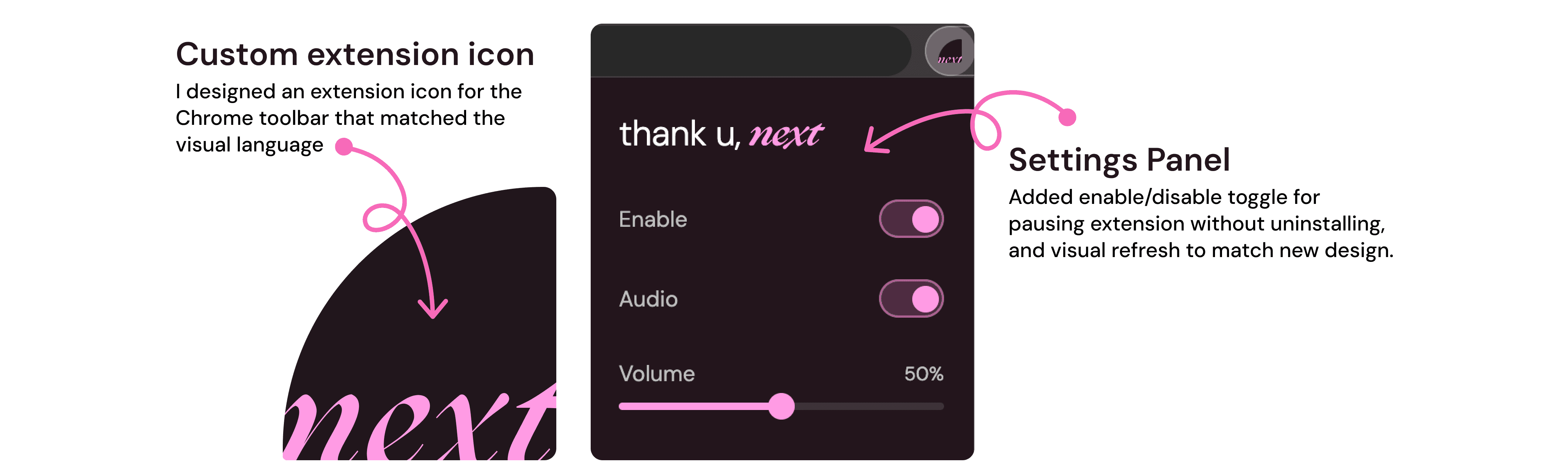
A few smaller fixes surfaced from real use. The widget now hides automatically when navigating back to the inbox. The mute button became interactive instead of just decorative.

What's Next

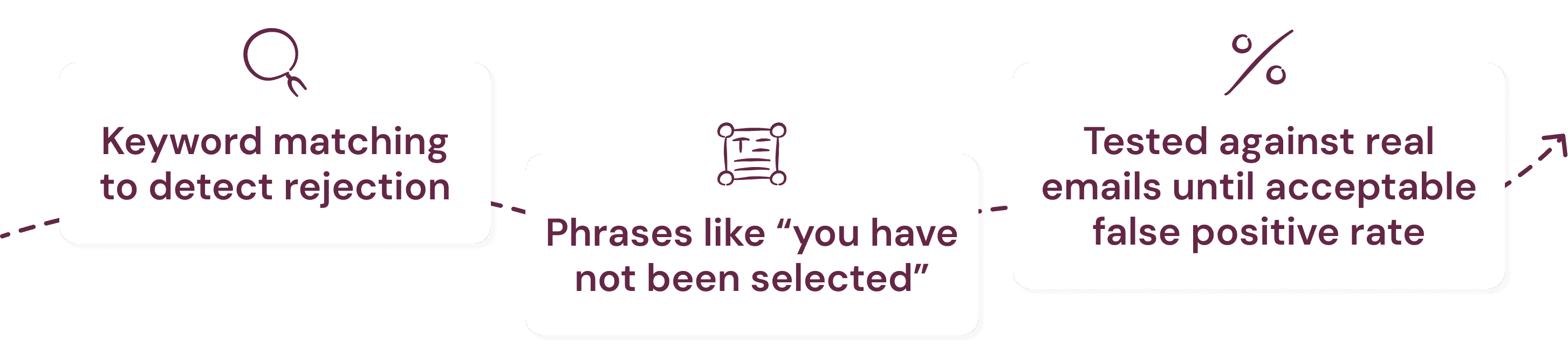
LLM classification: replacing keyword matching entirely. Instead of maintaining a list of phrases, the LLM reads the email and decides if it's a rejection. More robust, zero maintenance.

Celebratory moments: rejection is only half the job search experience. Interview invites and offer letters deserve their own moment too.

More audio: a rotating set of tracks that play randomly, so the experience stays fresh.

Tool calling: giving the LLM access to real-world context about the company. Glassdoor ratings, recent news, layoff history. Comebacks informed by actual data, not just the email body.

Chrome Web Store: making it available to anyone going through the job search grind, not just me.

Beyond Gmail: Outlook and other email clients.

Let's connect :)

Always happy to chat about design, research, or potential opportunities.

Let's connect :)

Always happy to chat about design, research, or potential opportunities.

Let's connect :)

Always happy to chat about design, research, or potential opportunities.

©

2026